

Introduction
Imagine stepping outside on a sunny day, pulling out your smartphone to reply to a message or check directions, only to notice that your phone screen starts flickering uncontrollably. The text jitters, the brightness fluctuates, and your eyes strain to focus. This frustrating problem—commonly known as phone screen flickering in bright light—is experienced by millions of smartphone users worldwide.
While it may seem like a minor nuisance at first, prolonged flickering can strain your eyes, reduce visibility, affect productivity, and even damage your device if left unaddressed. Since smartphones are central to our daily routines, understanding why flickering happens and how to resolve it is crucial.
This article explores everything you need to know about phone screen flickering in bright light—from root causes and troubleshooting methods to preventive measures and future display technologies.
What is Phone Screen Flickering?
Phone screen flickering refers to visible or subtle fluctuations in the brightness, color, or stability of the display. Sometimes, it looks like the screen is rapidly switching between dim and bright states; other times, it appears as horizontal or vertical lines moving across the screen.
Phone screen flickering is a common display issue where the screen appears to flash, jitter, or change brightness levels unexpectedly. It can happen subtly, where the brightness seems to fluctuate slightly, or more severely, where the screen visibly jumps between light and dark states, making it difficult to focus on the content. In some cases, flickering appears as horizontal or vertical lines moving across the screen, while in others, it looks like a continuous strobe effect.
At its core, flickering occurs when the display is unable to maintain a stable output of light or color. This can result from several factors, including the way modern screens regulate brightness, software misconfigurations, or even hardware problems within the display panel.
Most smartphones today use OLED or AMOLED technology, which relies on Pulse Width Modulation (PWM) to control brightness. PWM rapidly turns pixels on and off at high speeds to dim the screen. While the frequency is usually too fast for the human eye to notice, in certain conditions—especially bright light or low brightness levels—this rapid on-off cycle becomes visible as flicker.
Flickering may also occur because of adaptive brightness settings, where the phone’s light sensor struggles to adjust the screen to match surrounding lighting. When used outdoors under intense sunlight, this constant adjustment can create a noticeable flicker effect.
Although occasional flicker is generally harmless, persistent screen flickering can strain the eyes, cause headaches, and reduce overall usability. It can also be a sign of deeper software or hardware issues, particularly if accompanied by screen distortion or overheating.
In short, phone screen flickering is the instability of the display’s brightness or visuals, caused by both environmental and technical factors, and it becomes most noticeable under bright light conditions.
There are two major types of flickering:
- Visible Flicker – Noticeable by the human eye, especially in bright conditions.
- Invisible Flicker – Caused by screen technology (like PWM dimming), detectable only through slow-motion video or flicker-detection apps.
In bright light, flickering becomes more noticeable because the phone automatically increases brightness or adjusts contrast to combat glare. If the system fails to regulate these adjustments smoothly, flickering occurs.
Common Causes of Phone Screen Flickering in Bright Light
Phone screen flickering in bright light can stem from a combination of software, hardware, and environmental factors. While some causes are temporary and easy to fix, others may indicate underlying hardware issues that require professional intervention. Below are the most common culprits explained in detail:
1. Auto-Brightness and Adaptive Display Issues
Most modern smartphones use adaptive brightness sensors to automatically adjust screen illumination based on ambient light. In bright sunlight, the sensor may struggle to balance brightness levels, causing rapid fluctuations that look like flickering.
Modern smartphones are equipped with ambient light sensors that continuously measure surrounding light conditions. Based on this input, the adaptive brightness feature automatically adjusts the screen’s illumination to ensure readability. For example, indoors the brightness may drop to save power, while outdoors it rises to counter sunlight glare.
However, in extremely bright conditions such as direct sunlight, the sensor may struggle to stabilize. If it receives inconsistent readings—perhaps due to glare, shadows, or partial obstructions—the phone may rapidly increase and decrease brightness. This quick back-and-forth adjustment appears as visible flickering to the human eye.
Sometimes, this happens because of a poorly calibrated sensor, while in other cases, it’s a software bug that causes the brightness algorithm to react too aggressively. Disabling adaptive brightness and setting the display manually often resolves this problem.
2. Pulse Width Modulation (PWM) Dimming
OLED and AMOLED displays often rely on PWM dimming to control brightness. This involves turning the screen on and off rapidly at different frequencies. While most users don’t notice it indoors, in bright environments, the contrast exaggerates the flicker, especially at lower brightness levels.
Most OLED and AMOLED displays rely on a technology called Pulse Width Modulation (PWM) to control brightness levels. Instead of reducing the actual voltage to dim the screen, PWM works by rapidly turning pixels on and off at high speeds. At high frequencies, the human eye perceives this as a steady dimmed screen.
Indoors, where brightness levels are typically moderate, users rarely notice PWM flicker. But in bright outdoor conditions, the contrast between strong sunlight and the artificial dimming process can make flickering much more obvious. Lower brightness levels are particularly problematic, since PWM operates at slower frequencies, making the on-off cycles visible.
Some people are especially sensitive to PWM, experiencing eye strain, headaches, or dizziness even when flickering is subtle. To counter this, many manufacturers now include DC Dimming options in settings, which adjust brightness without relying heavily on PWM.
3. Software Glitches and Outdated Firmware
Operating system bugs, incompatible apps, or outdated drivers can interfere with screen calibration. A buggy firmware update may cause adaptive brightness to malfunction, resulting in flickering under sunlight.
Another common culprit is software instability. Smartphones rely on complex algorithms to regulate display performance, and when bugs occur, the result may be inconsistent brightness adjustments or visible flicker.
For instance:
- A buggy firmware update may introduce calibration errors in adaptive brightness.
- Outdated display drivers may conflict with new apps, causing screen instability.
- Incompatible third-party apps—especially those that overlay visuals (e.g., screen filters, night mode apps)—can clash with system brightness controls.
In these cases, flickering often appears after installing a new update or app. Restarting the device, updating software, or uninstalling conflicting apps usually resolves the issue.
4. Overheating in Direct Sunlight
When exposed to extreme outdoor heat, smartphones throttle performance to prevent hardware damage. One side effect is irregular display refresh rates, which can manifest as flickering.
Smartphones are not designed to operate continuously under intense heat or direct sunlight. When exposed for too long, the device may overheat. To prevent permanent hardware damage, the system throttles performance, lowering CPU and GPU activity and sometimes limiting display refresh rates.
This throttling can manifest as screen flickering, lag, or random dimming. For example, gaming outdoors on a hot day may cause the phone to overheat within minutes, leading to unstable display behavior. In extreme cases, the screen may even shut down temporarily until the device cools.
To avoid this, it’s best to keep the phone shaded, avoid charging under sunlight, and allow it to rest when it gets too hot.
5. Screen Protector or Tempered Glass Interference
A poorly installed screen protector or reflective tempered glass may confuse the light sensor. The device misreads the environment and keeps adjusting brightness unnecessarily, causing visible flickering.
While screen protectors are great for preventing scratches, not all are designed with sensor compatibility in mind. Some low-quality or improperly installed protectors can block or reflect light in ways that confuse the ambient light sensor.
When the sensor receives distorted readings, it keeps adjusting brightness unnecessarily, creating a visible flicker. This is particularly true for glossy or highly reflective tempered glass, which scatters sunlight.
Replacing the protector with a high-quality matte or anti-glare version often fixes the problem. Ensuring correct installation without bubbles or misalignment is equally important.
6. Hardware Issues in Display Panels
Defective display panels, loose flex cables, or aging OLED/AMOLED screens can cause permanent flickering. Unlike software-related issues, hardware problems usually worsen over time.
While many screen flickering problems can be traced back to software glitches or environmental conditions, sometimes the issue lies in the hardware itself. Defective or aging display components are among the most serious causes of flickering, and unlike software-related issues, they rarely go away without repair.
One of the most common culprits is a defective display panel. Both OLED and AMOLED screens are made of delicate layers of organic materials that degrade over time. As these panels age, they may struggle to maintain consistent brightness or color accuracy, leading to visible flickering, ghosting, or uneven backlighting. If your phone has been in use for several years, flickering could simply be a symptom of natural wear and tear.
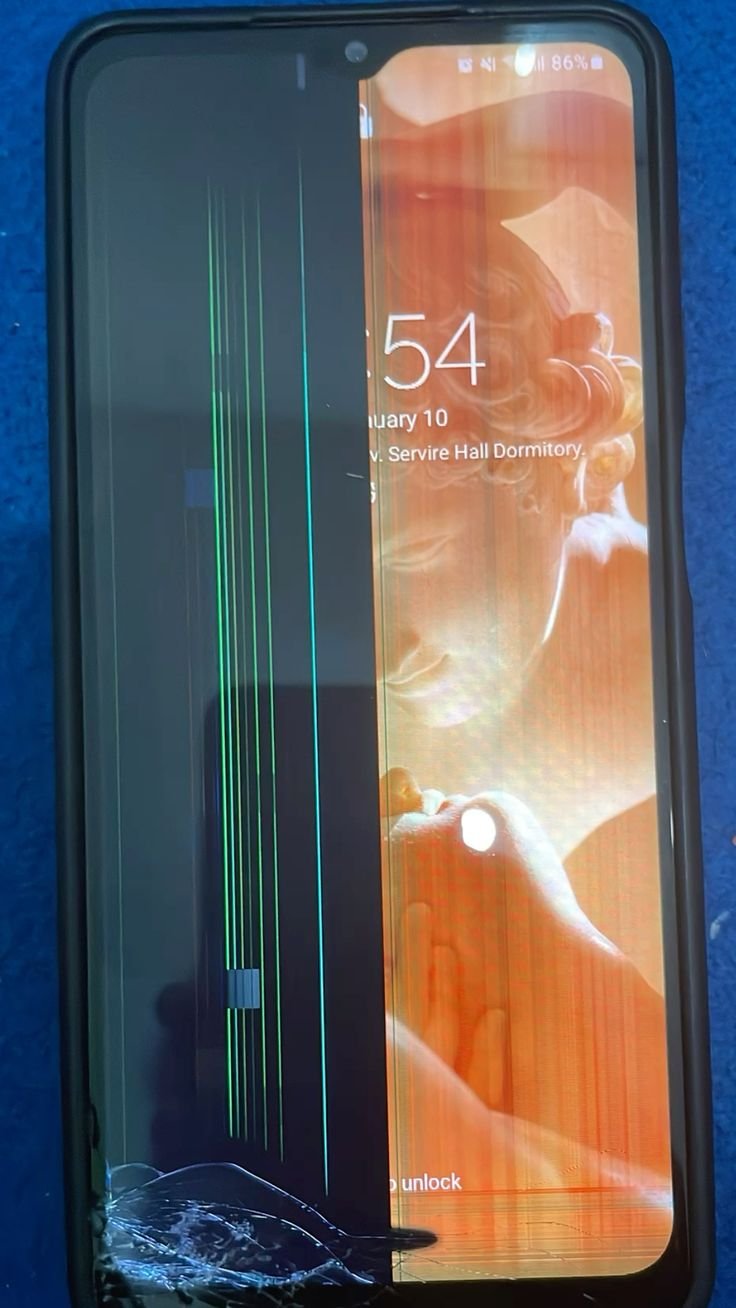
Another frequent hardware issue is loose or damaged flex cables. These thin ribbon-like connectors link the screen to the mainboard of the device. Physical impacts, repeated drops, or even minor manufacturing defects can loosen these connections, causing intermittent flickering whenever the phone is moved or pressed. In severe cases, lines, static, or complete blackouts may accompany the flicker.
Additionally, faulty power delivery within the display system can result in unstable voltage reaching the panel. This inconsistency often appears as rapid brightness changes or visible strobing, particularly under bright light where the display is pushed to maximum output.
Unlike software flicker, hardware-related flickering tends to worsen gradually. What starts as occasional brightness fluctuations may develop into permanent display instability. If flickering persists despite software updates and troubleshooting, it’s a strong indicator of hardware failure.
In most cases, the only reliable solution is professional repair or full display replacement. Attempting DIY fixes without expertise can worsen the damage. For newer devices under warranty, contacting the manufacturer is the safest option.

Impact on Users
Screen flickering may seem like a minor glitch, but it carries serious consequences:
- Eye Strain & Headaches – Constant flicker forces your eyes to refocus rapidly.
- Reduced Productivity – Difficult to type, read, or navigate outdoors.
- Battery Drain – Continuous brightness adjustments consume extra power.
- Device Longevity – Prolonged overheating and flicker may damage internal components.
How to Diagnose the Problem
Step 1: Quick Checks
- Turn off auto-brightness and set brightness manually.
- Restart the device to clear temporary glitches.
- Check if flickering occurs only in sunlight or under all conditions.
Step 2: Safe Mode Testing
Boot your device in safe mode to see if third-party apps are causing the flicker. If it disappears, an app is the culprit.
Step 3: Flicker Detection Apps
Special apps like OLED Saver or slow-motion video capture can reveal if PWM dimming is causing invisible flicker.
Step 4: External Factors
Remove screen protectors and check if the problem persists. If not, the protector was affecting the sensor.
Software Fixes
1. Disable Adaptive Brightness
Manually controlling brightness eliminates sensor misinterpretation.
2. Enable DC Dimming (if supported)
Many smartphones now support DC Dimming, which reduces PWM-related flicker. This can usually be found under display settings or developer options.
3. Update OS and Apps
Manufacturers often release patches to fix brightness and flickering bugs. Always keep software up to date.
4. Adjust Developer Options
On Android:
- Enable Disable HW overlays.
- Force GPU rendering.
These settings may reduce flickering caused by graphics processing conflicts.
5. Third-Party Apps
Some apps like OLED Saver or f.lux stabilize brightness and minimize flicker for sensitive users.
Hardware Fixes
1. Cooling Methods
If overheating is the issue, avoid prolonged sun exposure. Keep the device shaded or use a cooling case.
2. Replace Screen Protector
Switch to matte anti-glare protectors, which reduce reflections and allow sensors to function properly.
3. Professional Repair
If the flickering persists, it may indicate loose connections or a defective display. A certified technician may need to reseat cables or replace the display module.
Preventive Measures
- Use anti-glare protectors for better outdoor visibility.
- Avoid direct sunlight exposure for long periods.
- Keep device updated with the latest firmware.
- Use higher brightness outdoors, then lower it indoors to prevent strain.
- Handle with care to avoid physical damage to display panels.
When to Seek Professional Help
- Flickering continues after software fixes.
- Flicker occurs at all brightness levels, not just in sunlight.
- Visible lines or distortion appear alongside flicker.
- The device overheats abnormally during outdoor use.
In such cases, professional repair or display replacement is often the only solution.
Future of Displays: Flicker-Free Technology
Manufacturers are actively addressing flicker-related issues:
- LTPO OLED – Allows smoother refresh rate adjustments without excessive PWM.
- DC Dimming – Reduces flicker at low brightness.
- MicroLED Displays – Next-gen technology promising higher brightness and flicker-free performance.
- Adaptive Outdoor Modes – Smarter light sensors for seamless visibility.
As these technologies mature, flickering will likely become a less common issue.
Conclusion
Phone screen flickering in bright light is a widespread problem, rooted in a combination of software settings, hardware limitations, and environmental conditions. While occasional flickering is harmless, persistent issues can cause eye strain, reduce usability, and even indicate deeper hardware faults.
By understanding the causes, fixes, and preventive measures, you can minimize flicker and extend your device’s lifespan. If all else fails, seeking professional help ensures your smartphone display remains healthy and functional.
With future advancements like LTPO OLED and MicroLED displays, the dream of flicker-free outdoor smartphone usage is closer than ever. Until then, users must adopt best practices to balance visibility, performance, and eye comfort.